Tutorial 4 of 6
Moving scenarios and the furniture fit check
Intermediate 12 min
Compare two ways of moving side by side, check every piece of furniture against the door, corner, stairs and lift, and arrange the new rooms.
Open File → New from template… → Moving to a new flat to follow along, then press Run all.
1. Rooms to pack and the two scenarios
In Moving → Rooms to pack set the Moving day and add one row per room with its size. Below are Scenario A and Scenario B: each has its own amount of stuff, driving distance, floors without elevator and hourly rates. Leave a rate empty for no cost estimate; 0 means friends help for free.
Press Compare both scenarios. The Moving Box Planner runs twice and Hearth puts the answers side by side:
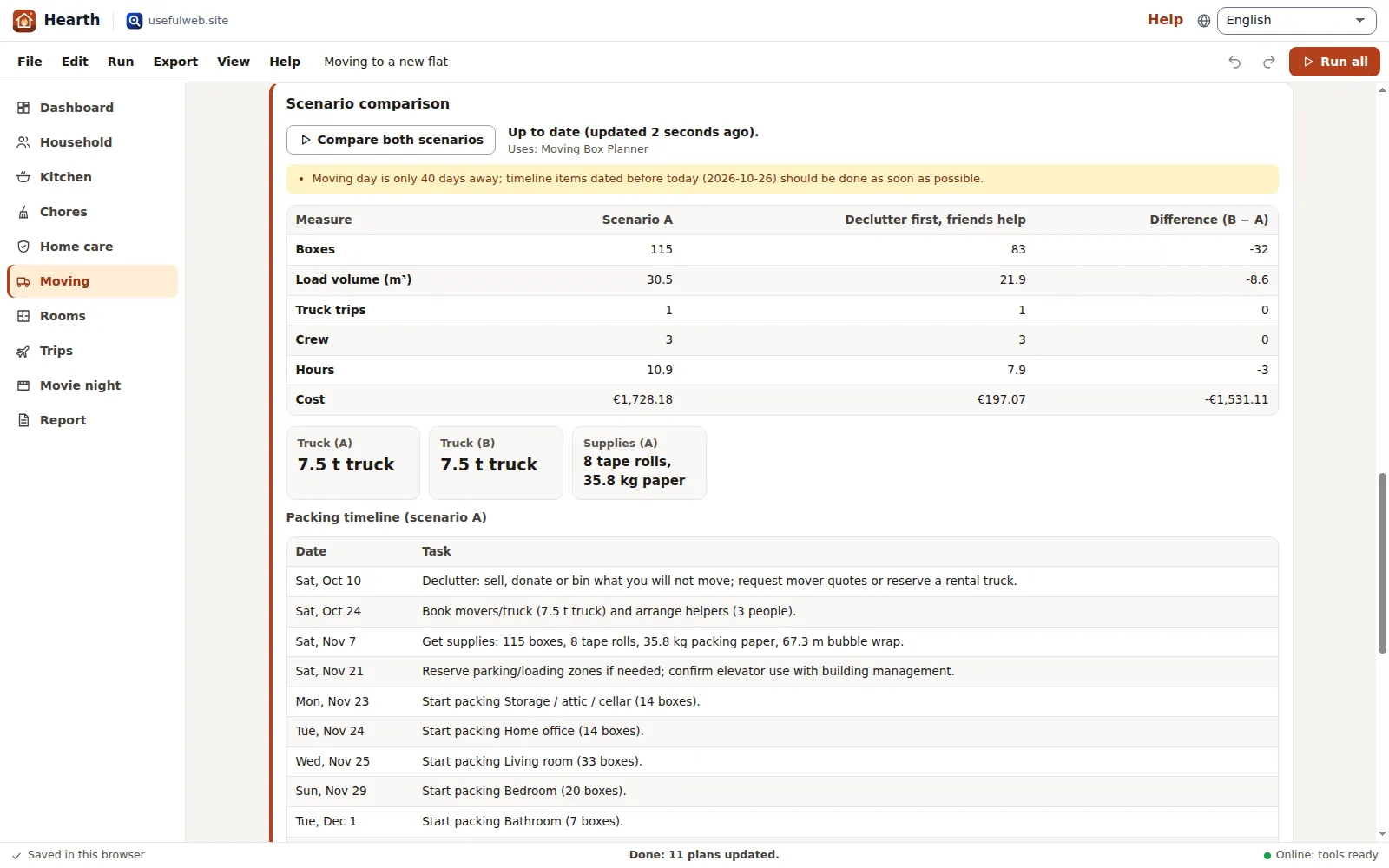
- Scenario comparison: boxes, load volume, truck trips, crew, hours and cost, with the Difference (B − A).
- Packing timeline (scenario A) with Add timeline to calendar (.ics) — the events come with a reminder.
2. Will it fit? The way in
Measure the way into the new home: door clear width and height, hallway widths before and after a corner, the stairs and the lift. Leave a checkpoint empty to skip it. Then add every large piece under Furniture to move with length, width/depth and height.
Press Check all furniture. Hearth runs Will It Fit? once per piece and builds the Fit matrix: each piece against each checkpoint with the spare centimetres (✓) or how much is missing (✗). Pieces that fail get the tool’s own explanation underneath, including which way to carry them.
3. Arrange the new rooms
In Rooms, add a room with width and depth, doors and windows. Copy furniture from the moving list adds every piece that is not in the room yet (length becomes width, width becomes depth). Press Arrange furniture: the Room Layout Optimizer places everything around a clear walkway and Hearth draws the floor plan.
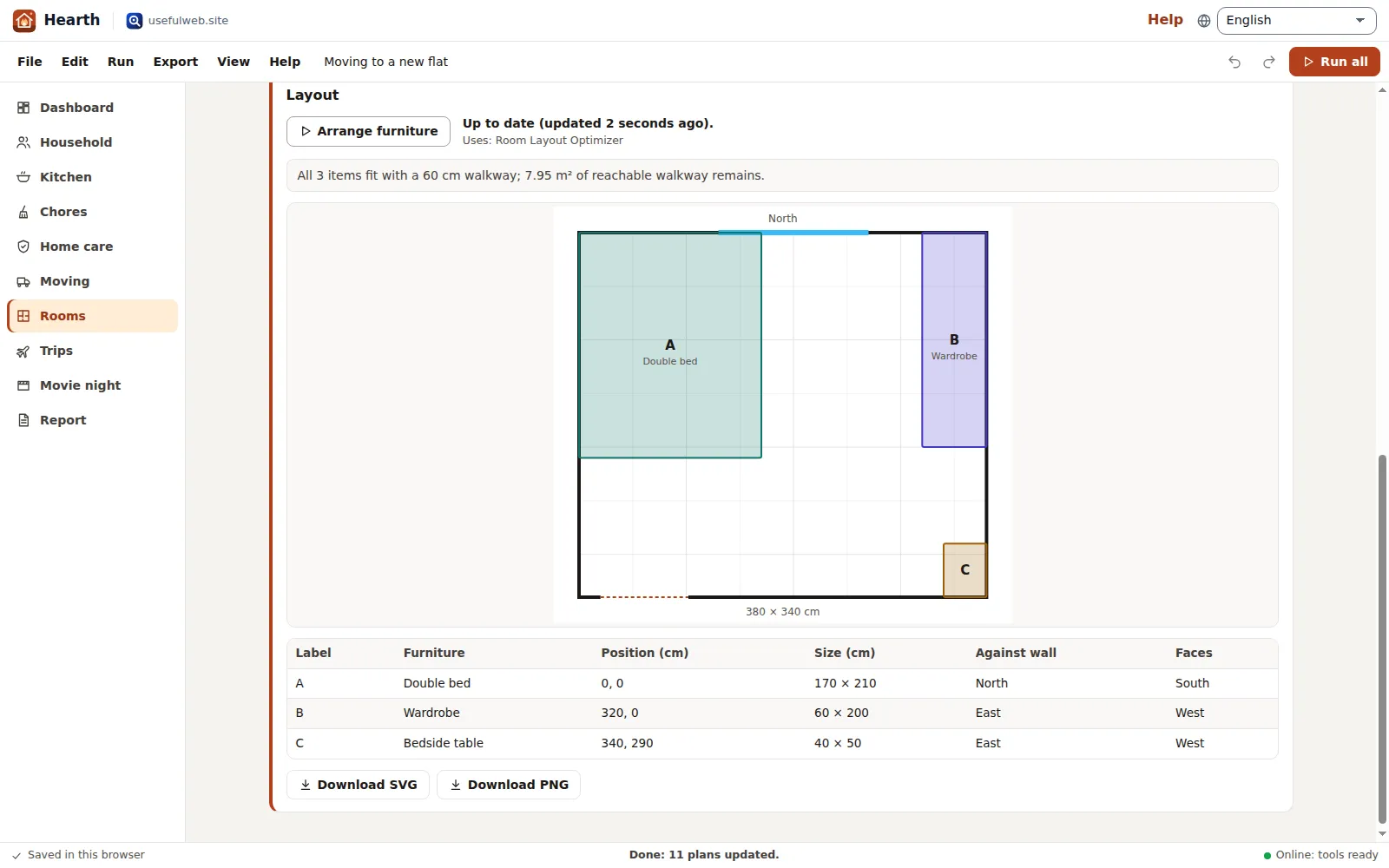
Add room photo or plan… puts an image of the room under the plan to compare. Download SVG and Download PNG export the plan; the report includes every arranged room.
Tips
- Measure door clear width — between the stops, not the frame.
- If a piece fails only at the corner, check whether it can be carried upright; the tool’s orientation hint tells you which side to lead with.
Ready to try it?