Tutorial 1 of 6
Your household in ten minutes
Beginner 10 min
Open a template or describe your own household, press Run all, and read the dashboard, the two-week agenda and the findings. No account, nothing to install.
Hearth is a planner for everything that keeps a home running: meals, chores, home care, a move, rooms and trips. You describe your household once, and Hearth turns it into runs of seventeen usefulweb tools. Your project is saved in this browser automatically.
1. Start from a template or from scratch
Open File → New from template… and pick Family week with a dog. Templates are realistic example households; their dates move to the current week when you open them. To start with your own data instead, choose File → New household.
The first time you open Hearth a small hint bar offers the template gallery. It never blocks the page — close it with the × button.
2. Describe the household
Go to Household (press 2, or click it in the section list on the left).
- Basics: the day your plan starts, your currency (for example
EUR), home type and hemisphere. - People: one row per person. Available days such as
Mon-Frilimit when someone can take a chore; Chore capacity0.5means half the usual share, for example for children. - Home features: tick what your home has. The maintenance calendar only schedules jobs for these.
Every change is saved in this browser within a second. Ctrl+Z undoes it.
3. Run all
Press Run all in the top bar (or Ctrl+Shift+Enter). Hearth runs every plan that is missing or out of date, in the right order: the fridge check before the recipe ideas, the movie vote before the marathon. The status bar at the bottom shows which tool is running; Cancel run stops a long batch.
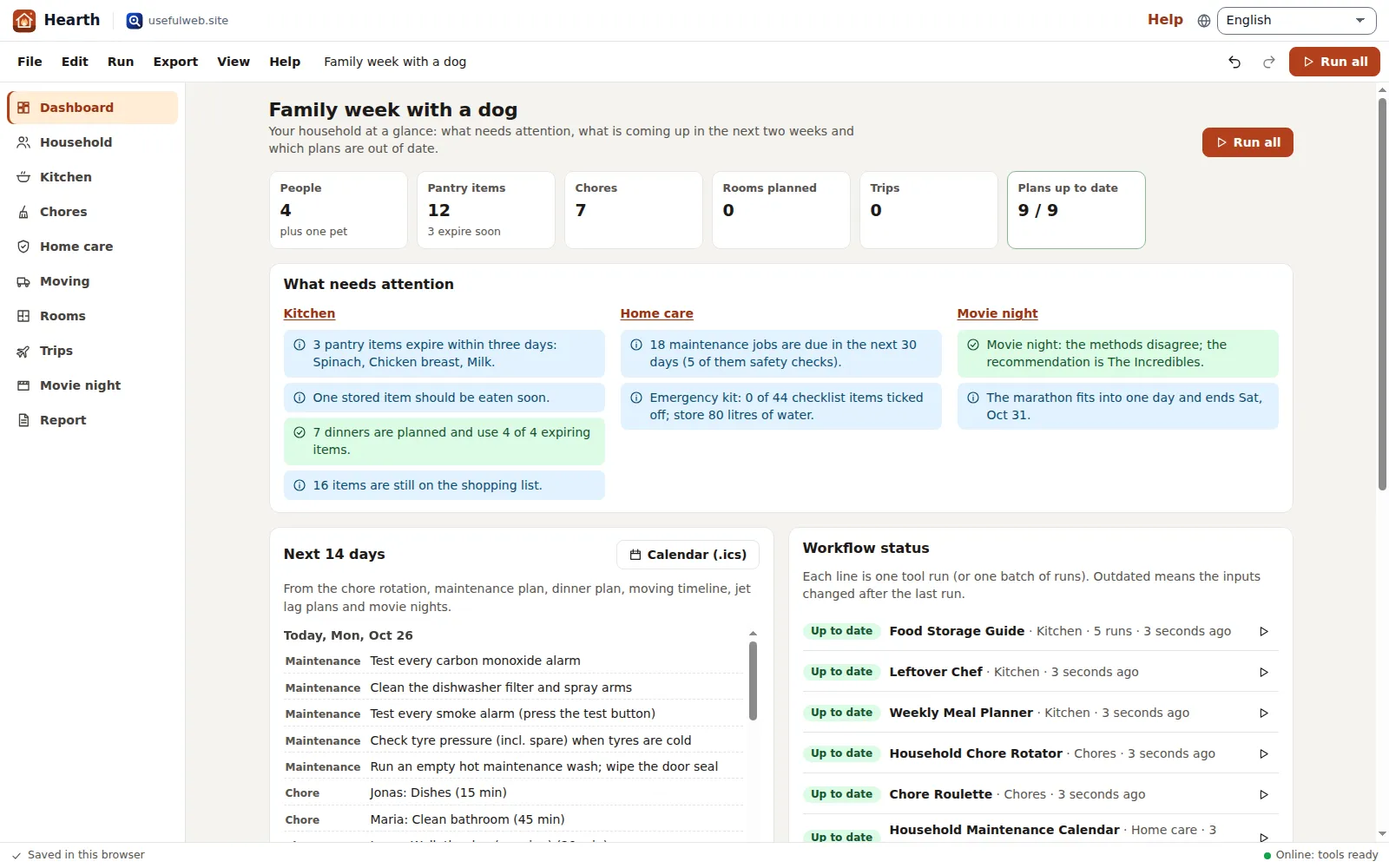
4. Read the dashboard
- What needs attention lists findings in plain sentences, grouped by area: food that expires, items left on the shopping list, maintenance jobs due in the next 30 days, furniture that does not fit, a risky connection.
- Next 14 days merges dated events from the chore rotation, maintenance plan, dinner plan, moving timeline, jet lag plans and movie nights.
- Workflow status shows every tool run. Outdated means you changed the inputs after the last run; press the play button on a line to run just that step.
5. Keep it
Hearth keeps the household in this browser (File → Open recent…). For a durable copy press Ctrl+S to save a .hearth.json file. File → Copy share link puts the inputs into a link — results and room photos are not included, the receiver runs the tools again.
What is sent where?
Only the inputs of the step you run go to the tool API of this site; the results come back and are stored with your project. Room photos never leave your browser.
Ready to try it?